Brief to Video: A Worked Product Update Example
 By the Maybe Labs team
This worked example turns a saved-views release note into a 24-second product update. Follow the source facts, prompt, storyboard, clip, and revision checks to see what a defensible software video handoff contains.
Provenance: Example Board is fictional and all records are sample data. The accompanying clip was assembled locally from authored interface frames and captions. It illustrates editorial planning; it is not a customer case study, a recording of a real app, or evidence of Maybe Labs generation quality, production speed, or conversion lift.
1. Establish the release facts
Example release note: “Saved personal views are now available in Example Board. Save a combination of status and owner filters, name the view, and reopen it from Personal views. Views are private to their creator. Shared team views are not included in this release.” The audience is an existing project lead returning to the same work.
| Source fact | Evidence required | Claim to avoid |
|---|---|---|
| Status: In progress and Owner: Maya are saved | Both filters in the save and reopened states | Any filter combination works without checking the release scope |
| The view is named Launch review | The same view name in the dialog and result | A different workflow presented as the same saved view |
| Views are personal | Only you in the save dialog | Share views with your team |
| EB-104 and EB-112 remain in the result | Matching task IDs across the relevant states | A claim about app speed based on edited frames |
2. Prepare the sources and brief
Inspect the authored frames: starting state, save decision, and reopened result. If a production cut must show the exact clicks that apply the filters, add that capture or a recording. These stills establish states, not the intervening interaction.
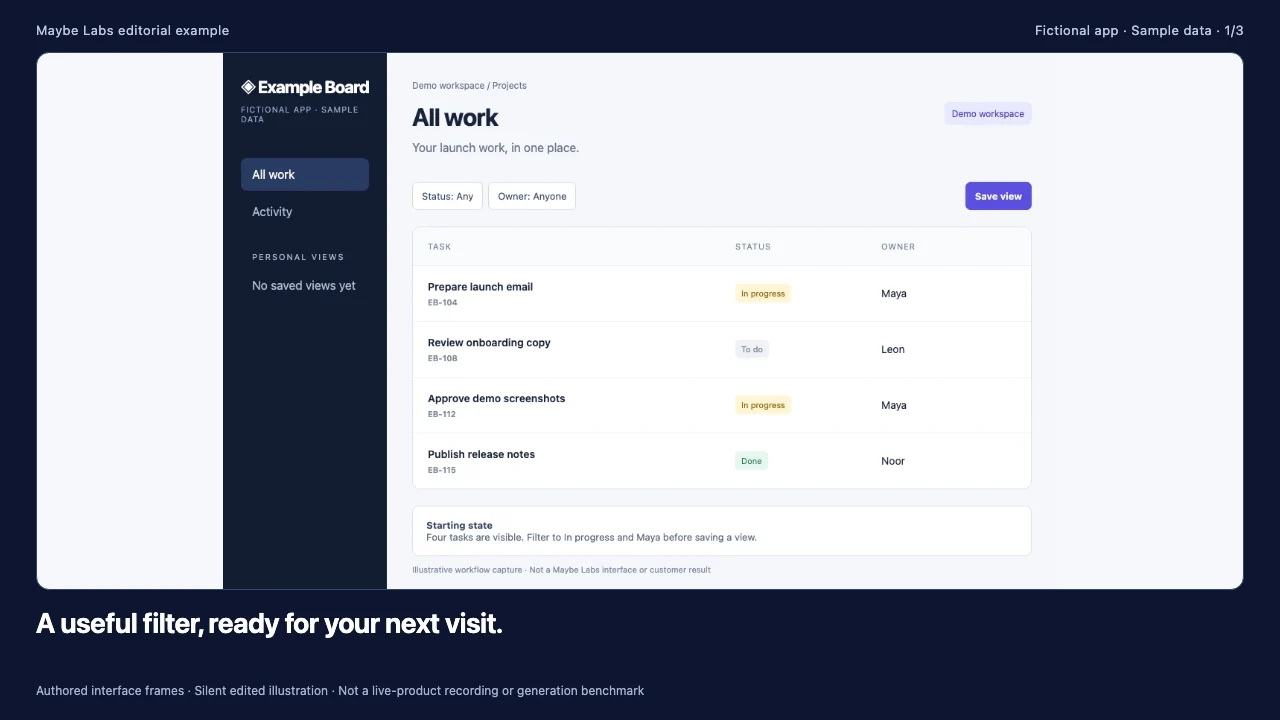
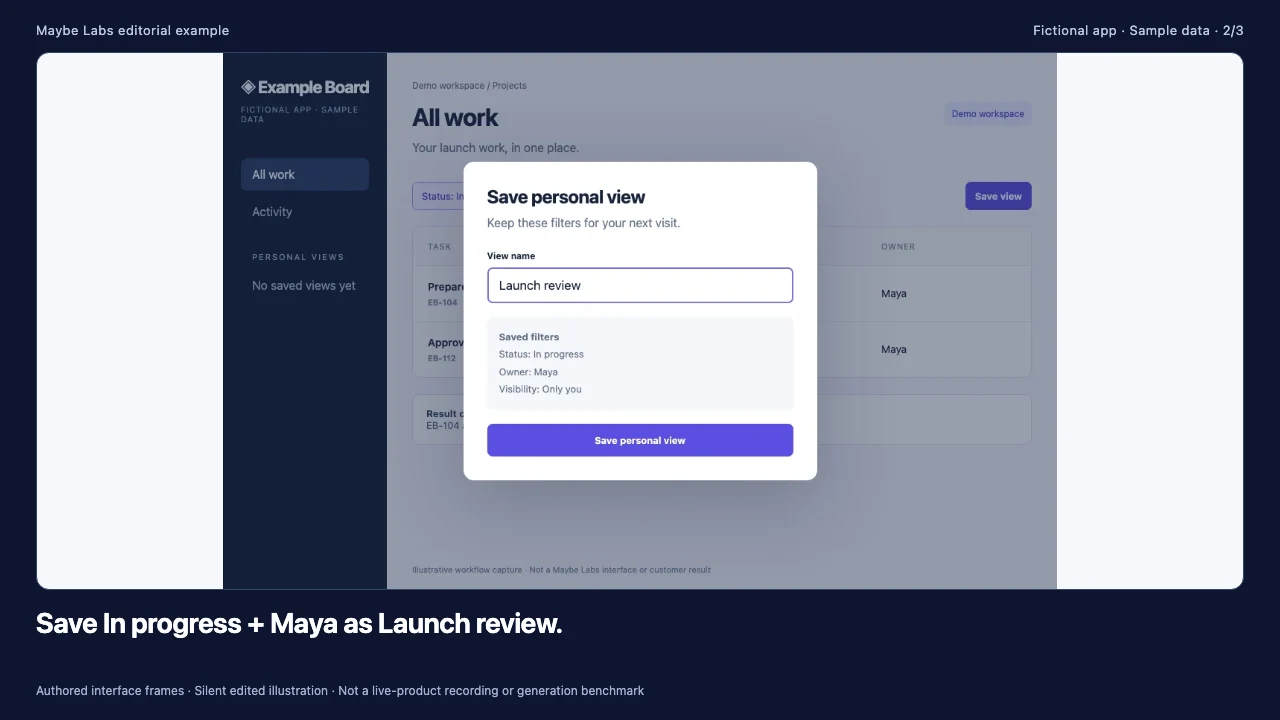
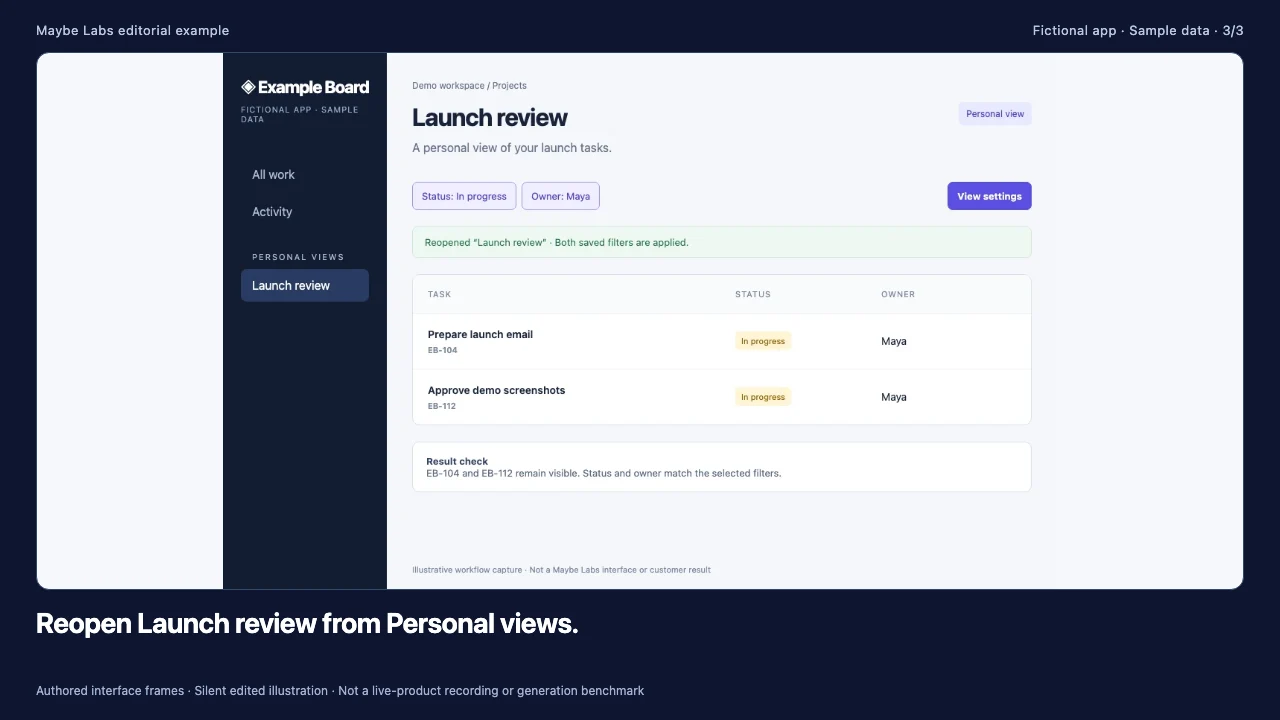
Brief to adapt: “Create a 24-second, mute-first update for existing Example Board users. Announce saved personal views. Show Status: In progress and Owner: Maya, the name Launch review, and records EB-104 and EB-112. Preserve the personal-only limitation. Use approved brand assets. End by directing users to save a personal view from All work. Review the story and animatic before rendering. Do not invent sharing or speed claims.”
3. Map the story to evidence
| Timing in this editorial clip | Story role | Evidence to inspect |
|---|---|---|
| 0–8 seconds | Introduce the saved-filter update | All work establishes the starting context. |
| 8–16 seconds | Explain what is saved | The dialog shows the filter combination and Only you visibility. |
| 16–24 seconds | Show the result and next step | The reopened view preserves the expected records and filters. |
These timings describe the supplied editorial clip. They are not app response times or a measurement of how quickly Maybe Labs produces a video. Adjust scene duration when labels are difficult to read at the intended publishing size.
4. Watch the illustrative cut
Read descriptive transcript: Saved personal views: brief-to-video illustration
- 00–08s All work establishes the starting task list and introduces the saved personal views update.
- 08–16s The save dialog shows the selected filters and personal-only visibility.
- 16–24s The reopened result preserves the intended records and filters, followed by the next action.
5. Review a revision before exporting again
Suppose the product team supplies a corrected result capture. Attach that image and name the result scene in chat: “Replace the final product screenshot with this corrected result. Preserve the approved copy and timing.” Inspect that the right image is used, that the saved filters and records remain accurate, and that the closing message still matches the release. This is a proposed revision exercise, not a recorded revision result.
A change from personal views to shared views is different: the source facts and story have changed. Confirm actual availability and supply evidence for the new behavior before revising the copy and dependent visuals. Recheck approvals rather than presenting the old clip as proof of the new feature.
6. Check delivery and record what happened
Review the cut muted, inspect captions and important labels, then check each required aspect ratio independently. A vertical composition may need closer framing. Keep the original source captures, approved brief, exported file, and revision notes together so a later release can be updated accurately.
No measured production time or business outcome is available for this illustration. For a real run, record preparation time, time to first draft, active revision time, render and queue time, failed attempts, and time to approved export. For an adoption campaign, measure eligible users’ successful feature use separately from video views. See the feature adoption measurement guide.
For the wider library, see product update video examples. For current product conditions, read Maybe Labs capabilities. To evaluate another production approach with the same brief, use the comparison method.
Make your next launch in motion
Bring a brief, brand assets, and product captures. Review the story, visuals, and exported video before publishing. Request free private-beta access.
Get early access →