
AI motion graphics
Product launch video maker
Create a short launch video with Maybe Labs. Describe the product, audience, visual direction, and facts to preserve; review the generated film, refine it in chat, and inspect the export before publishing. See an actual Maybe Labs example below. Access is through the private-beta waitlist.
Private beta · Waitlist access · Free during beta · No credit card
See a worked example with screenshots and a scriptWorked example
Maybe Labs: our own launch film, made in Maybe Labs
This 20-second film launches Maybe Labs itself. It was made the way you would make yours: one text brief in the Agent B chat. Agent B wrote the story, generated every photo in it, choreographed the motion and scored the music.
Visuals, imagery and music were generated and exported in Maybe Labs from the brief below; nothing was edited after export. The photos are AI-generated. The sales dashboard is a sample prompt shown inside the film, and its numbers are labelled sample data, not results from a customer.
What this video is saying
“Describe a launch in a few words. Agent B writes the story, generates the visuals, scores the film, re-cuts it when you ask, and exports every shape.” The film ends on the real offer: free during the private beta, no credit card.
A prompt to adapt
Create the finished 20-second 16:9 launch film for Maybe Labs (maybelabs.ai): best-in-class, energetic, buttery-smooth motion with original synchronized music and sound design. It must look made by a top human motion studio, with wow moments, not an AI template. Title: Maybe Labs — Launch videos from a sentence. Audience: founders, product marketers and software teams who ship often. Facts only: you describe a video, paste release notes or share your website in the chat; Agent B, your motion designer, writes the story, generates the visuals, choreographs scenes, kinetic type and pacing, and scores the film; you refine it by asking in chat; you export in 16:9, 1:1 and 9:16. Private beta, free during the beta, no credit card. Use generated photoreal imagery in every scene: a sunlit founder's desk with a laptop for the opening; real-looking mockups of finished motion work for the Assets moment (a phone app with a card sliding up, a laptop dashboard, a kinetic-type poster, a logo reveal, a vertical social clip on a phone, a product UI success state), each animated inside its tile with push-ins, parallax and HTML motion layered on top; a sales dashboard on a monitor for the sample film; a laptop, tablet and phone on a desk for the export moment. Keep readable copy, numbers and UI states as sharp HTML on top of the images. Arc: (1) 0–3s hook: "A few words." lands on the beat over the desk photo, then the Agent B chat box fills the frame and types "Launch video for our AI dashboard for sales teams" and sends; (2) 3–7s Agent B directs: the camera moves through Story, Assets, Brand and Video as story cards, the moving mockups and a waveform assemble, a checklist ticks Story written, Visuals generated, Scored; (3) 7–12s payoff: the generated sample film for the sales dashboard bursts to full frame, charts drawing on over the monitor photo; (4) 12–15s a chat bubble "Make the ending punchier" and the ending re-cuts to a designed frame: big near-black type on warm paper with one accent, the dashboard snapping into place beside it, no gradient box; (5) 15–17s the same film appears on the laptop, tablet and phone in 16:9, 1:1 and 9:16 in a rhythmic stagger; (6) 17–20s CTA end card: Maybe Labs logo, "Launch videos from a sentence.", a confident dark forest-green pill button "Join the free beta →" and "maybelabs.ai", held for the final 2 seconds. Palette for the whole film: warm off-white paper, near-black ink, deep forest green and one vermilion accent used sparingly; flat colors, crisp shadows, subtle grain; no purple, blue or pink AI gradients and no glow fields. Keep the Maybe Labs logo as is. Motion: cut on the beat, spring easing with slight overshoot, motion blur on fast moves, continuous camera with push-ins, whip pans and match cuts, layered parallax, staggered kinetic type, nothing cropped off the frame edges. The sales dashboard is a sample prompt, not a customer; no invented statistics, generation times or customer results. No voiceover; the message must work muted. Generate and review the video.
Frames from the exported video
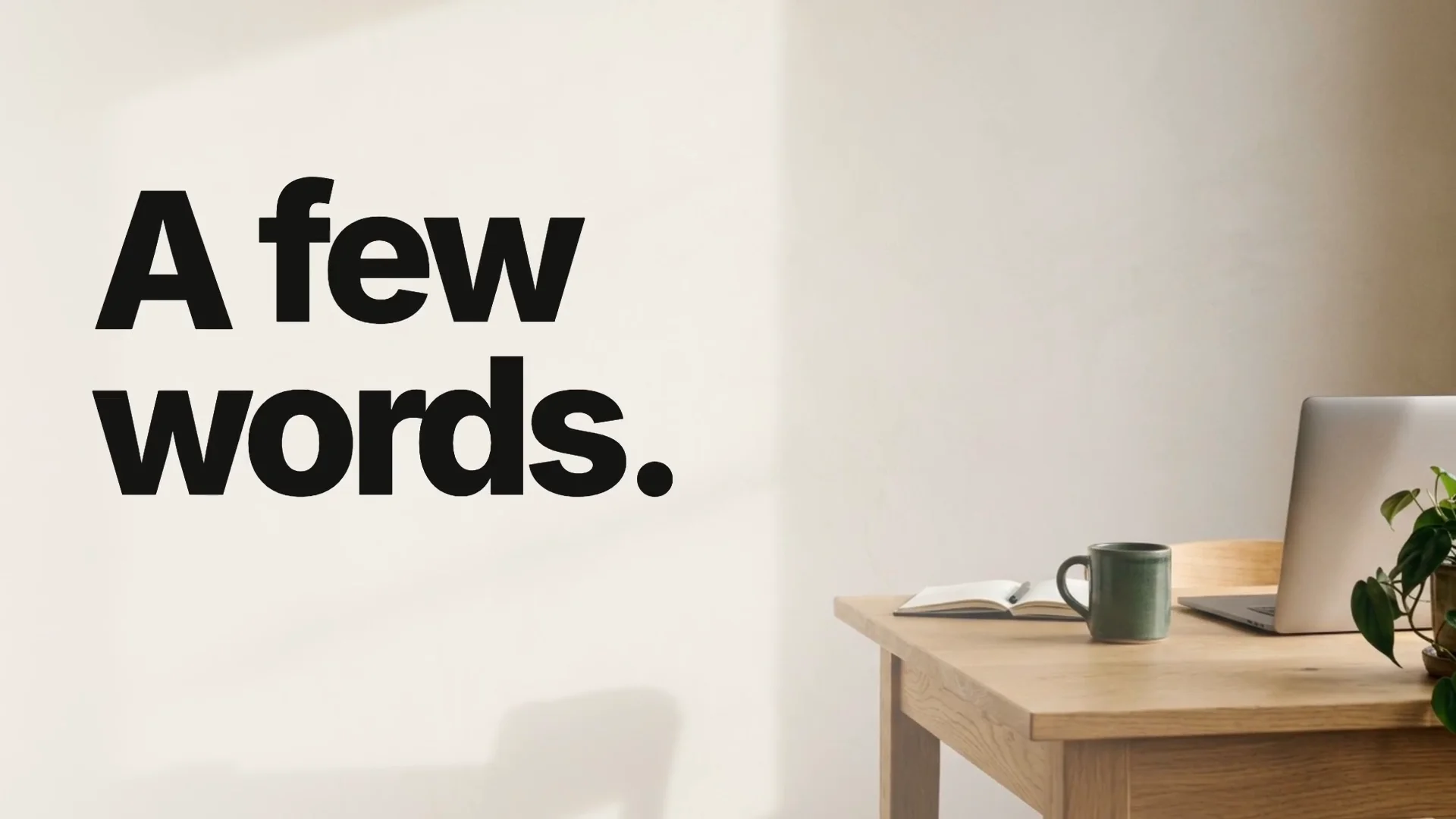
1. Open on a real-looking scene · 1s
The hook lands as sharp type over a generated photo, not a gradient. Copy stays HTML so it renders crisp.
Frame from the export · AI-generated imagery · Select image for full size
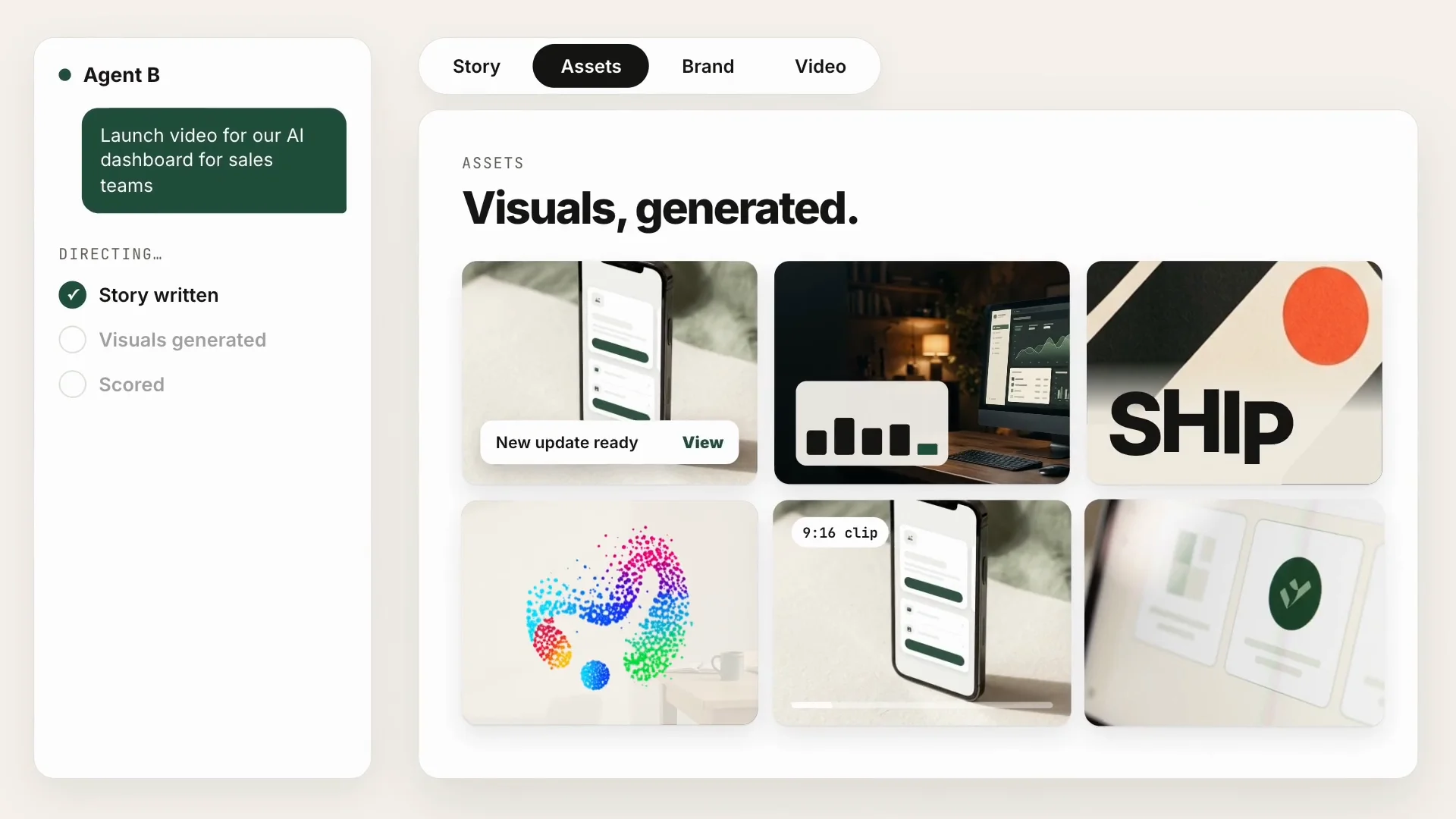
2. Show the work being made · 5s
Agent B moves through Story, Assets, Brand and Video while its checklist ticks off each step.
Frame from the export · AI-generated imagery · Select image for full size
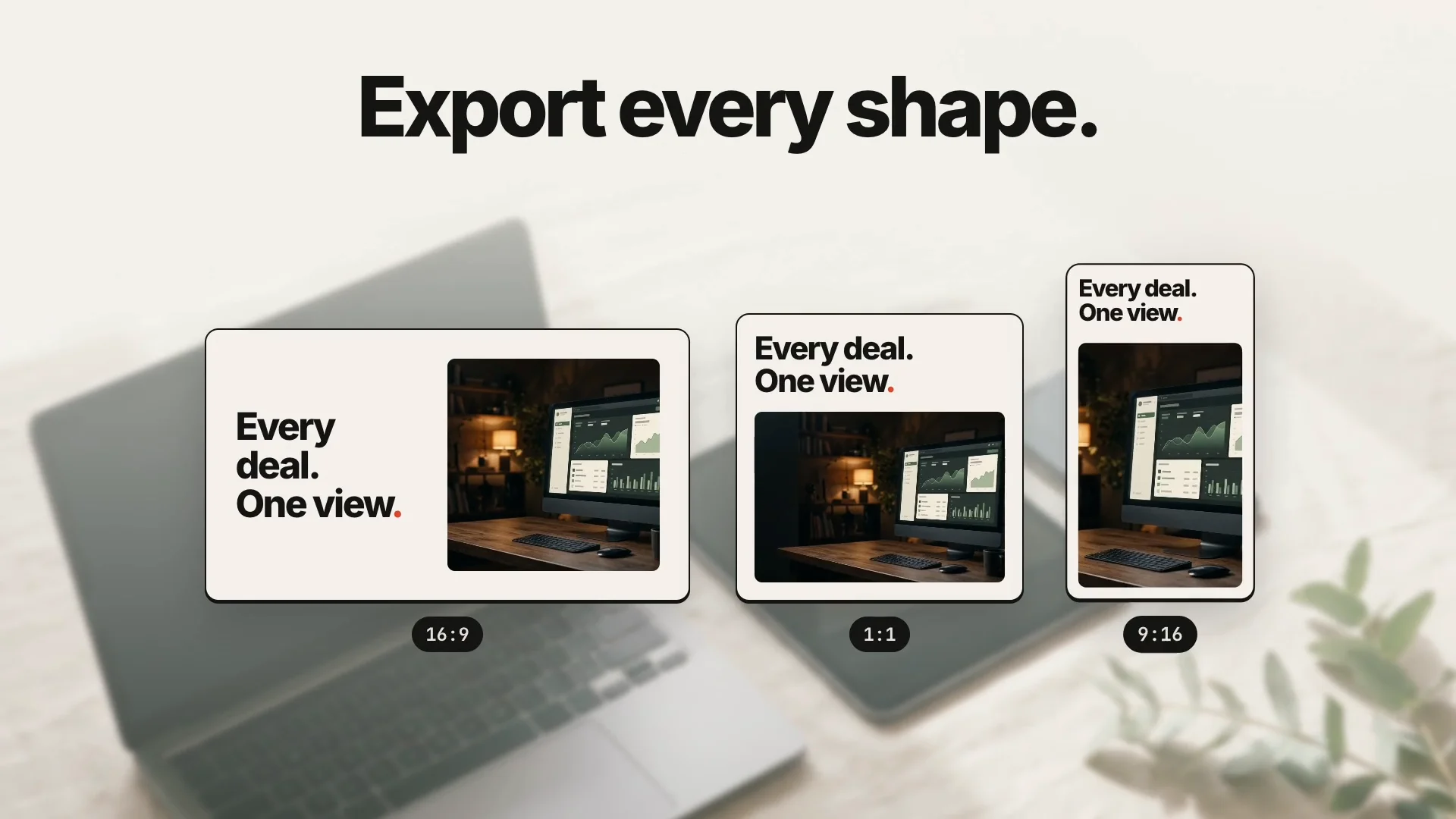
3. Prove the formats · 16s
One film, three shapes, staggered on the beat: 16:9, 1:1 and 9:16.
Frame from the export · AI-generated imagery · Select image for full size
What happens in the video
Times refer to the exported film. The interface and workflow are illustrative; the edit does not measure product speed.
- 0–3s
A few words.
Type lands on the beat over a generated sunlit desk, then the Agent B chat box fills the frame and types the sample prompt.
- 3–7s
From one sentence to a story. Visuals, generated. On brand by default.
The camera whips through Story, Assets, Brand and Video while a checklist ticks Story written, Visuals generated and Scored.
- 7–12s
See every deal move.
The sample film for an AI sales dashboard bursts to full frame over a generated monitor photo, its chart drawing on. Numbers are labelled sample data.
- 12–15s
Make the ending punchier. → Every deal. One view.
A chat request re-cuts the ending to big ink type on warm paper with one vermilion accent.
- 15–17s
Export every shape.
The same film appears in 16:9, 1:1 and 9:16 over a generated laptop, tablet and phone.
- 17–20s
Launch videos from a sentence. Join the free beta →
The Maybe Labs logo, the line, a forest-green beta button and maybelabs.ai hold for the final two seconds.
Before approving this example
- Can a muted viewer say what the product does after one watch?
- Is every number on screen either real or clearly labelled as sample data?
- Do the generated images support the message instead of decorating it?
- Does the closing invitation match real availability and lead somewhere real?
To plan your own cut, bring a brief, approved brand assets, and product captures. Maybe Labs is in private beta: start with the brief above to request access.
One focused launch story
Give the film an audience, a useful capability, and an accurate next step, supported by approved product facts.
Review the actual film
Inspect the generated visuals, text, motion, and sound. Use chat to request revisions before exporting.
Formats for the placement
Prepare landscape, square, portrait-feed, or vertical cuts and review the framing of each.
Who it's for
For founders, product marketers, and software teams preparing a launch, a major version, or a redesign. Choose this workflow when a new audience needs to understand what the product does and why the launch matters. Access is granted gradually through the private-beta waitlist.
- A new software product or company introduction
- A major release, redesign, or new product direction
- A Product Hunt gallery or launch announcement
- A short product-page introduction with a clear next step
Prepare the facts before the creative brief
Name the product, audience, one supported capability, availability conditions, and intended next step. Add the visual direction and soundtrack you want. Supply approved brand assets and product captures when fidelity to your real interface matters; generated UI artwork is not evidence that a feature works.
Generate, inspect, and refine in Maybe Labs
Describe the film in Maybe Labs and review the generated draft in its Video view. Inspect the frame thumbnails and watch the sequence with sound on and off. Request changes in chat when the wording, motion, framing, or facts need adjustment. The examples here were made from text briefs; their interface artwork was generated.
Check the exported file
Export the reviewed film and watch that file before publishing. The example on this page uses a landscape 1080p MP4 with instrumental music. Check the current workspace’s export options for your placement, and inspect every format you intend to share. Generation and automated review do not replace your final factual and visual checks.
Give the viewer an accurate next step
A launch introduces a product or major release. Use one recognizable task to make the introduction concrete, then link the surrounding post or page to the correct destination. State whether the offer is available now, a limited pilot, or a waitlist. A private-beta announcement must not imply immediate access.
Before you approve the launch
- ✓Can a new viewer explain what the product does?
- ✓Does every important claim have an approved source?
- ✓Is real product evidence readable?
- ✓Does the CTA match the current access path?
Prompts to try
Questions
Can I use the product launch video maker now?
Maybe Labs is in private beta. Request access through the brief form; entry is granted gradually. It is free during beta and no credit card is required.
What should I put in my launch video brief?
Name the product, audience, one supported capability, availability, and next step. Add visual and audio direction, approved facts, and any brand assets or captures needed to represent your product accurately.
Was the video on this page generated in Maybe Labs?
Yes. The Example Board visuals were generated and exported in Maybe Labs from the documented text brief; the soundtrack was later replaced with an ElevenLabs instrumental. Example Board is a fictional product.
Can I review and revise the video before exporting?
Yes. Watch the generated film in Maybe Labs, inspect its frames, and request changes in chat. Review the exported file before publishing, including readability, factual accuracy, and sound.
Will the same brief produce the same video?
A new generation can produce a different result. The linked example shows one reviewed export from a specific brief. Treat it as an example to inspect and adapt, not a guarantee of identical output or generation time.