
AI motion graphics
AI motion graphics generator
Maybe Labs is an AI motion graphics generator for software launches and updates. Describe the video in the Maybe Labs chat, paste release notes, or share your website. Maybe Labs writes the story, generates the visuals, choreographs kinetic type and pacing, and scores the film. Ask for changes in chat, then export in 16:9, 1:1 and 9:16. Sign-up is open, and you pay per use with credits.
Open sign-up · Pay as you go · Credits from $10 · No subscription
See a worked example with screenshots and a scriptWorked example
A 20-second motion graphics film generated from text
Example API is a fictional developer product. This film was generated and exported in Maybe Labs from the text brief below, with no screenshots attached. Maybe Labs designed the code interface, kinetic type, transitions and original sound.
Made in Maybe Labs, with its original exported audio. Example API is fictional; the requests shown are illustrative, not executed API calls, and edited timing is not a latency claim.
What the film had to say
POST /v1/reports returns 202 Accepted with report_id rpt_demo_07 and status queued. A later GET returns 200 OK with the same report_id and status ready. Accepted is not completed.
A prompt to adapt
Generate the finished 20-second 16:9 launch film now, not just a story. Title: Example API — From request to report. Create a polished developer-product launch with original synchronized electronic music and sound, bold type, a beautifully designed code interface and purposeful motion. No screenshots attached: author original stylized UI. Preserve exact endpoint and ID text. Explain accepted is not completed. Palette charcoal, pale mint and warm white. Keep the story legible without sound, no voiceover, and hold the end card for 2 seconds.
Frames from the exported video
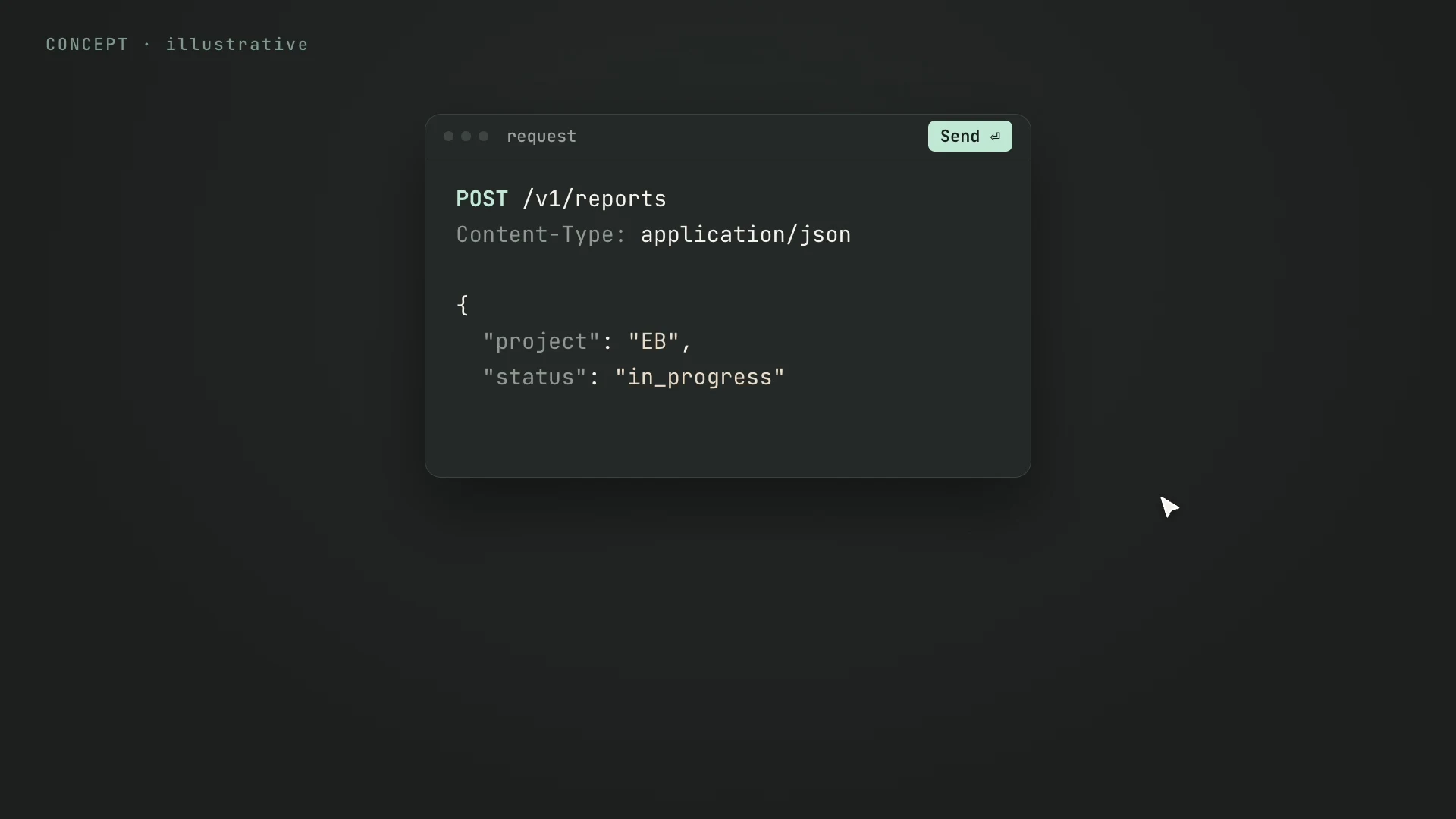
1. The request · 4s
Designed code interface with exact endpoint text from the brief.
Frame from the export · Fictional product · Select image for full size
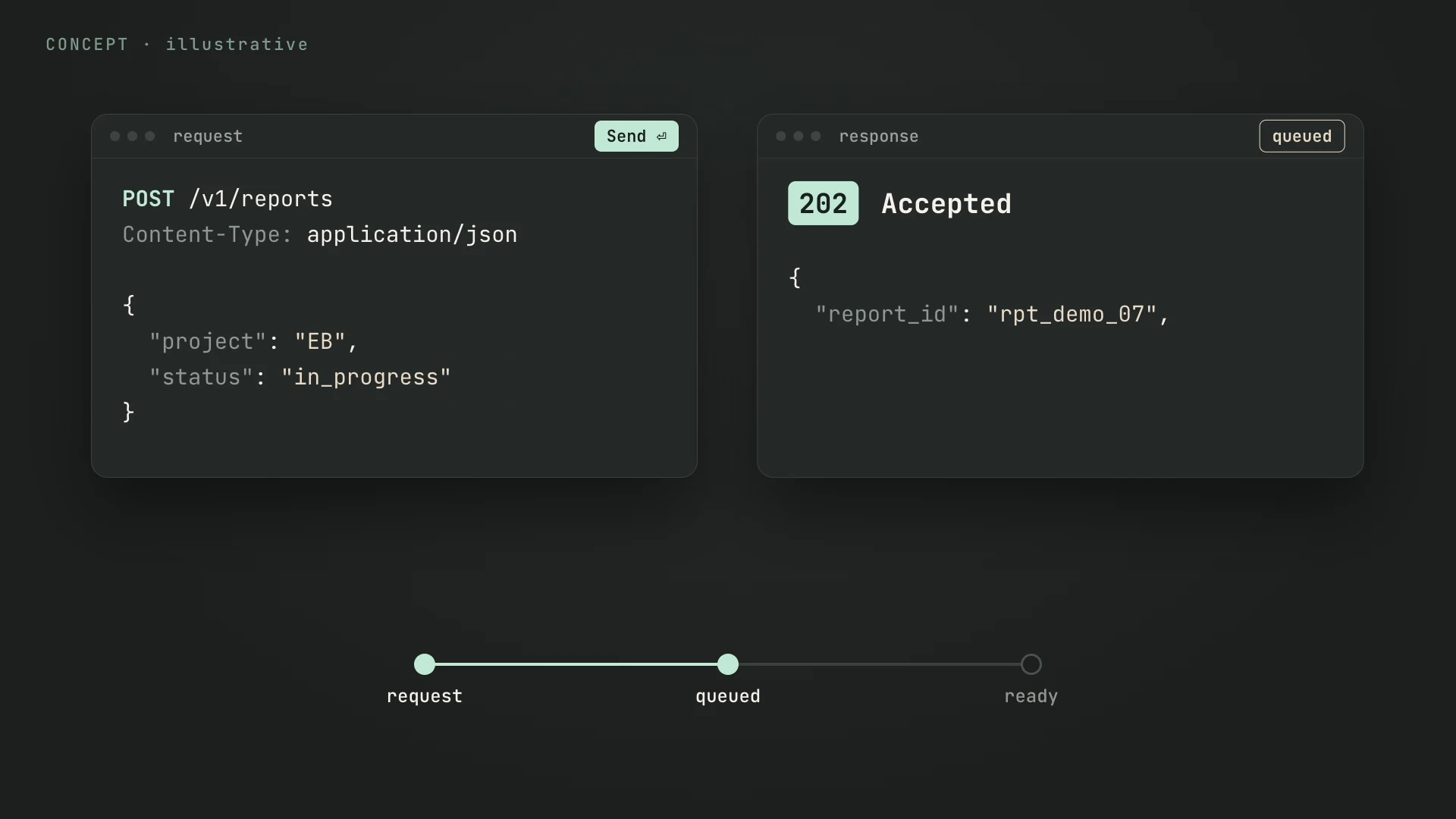
2. Accepted, not done · 9s
The progress line shows the idea developers miss: accepted is not completed.
Frame from the export · Fictional product · Select image for full size
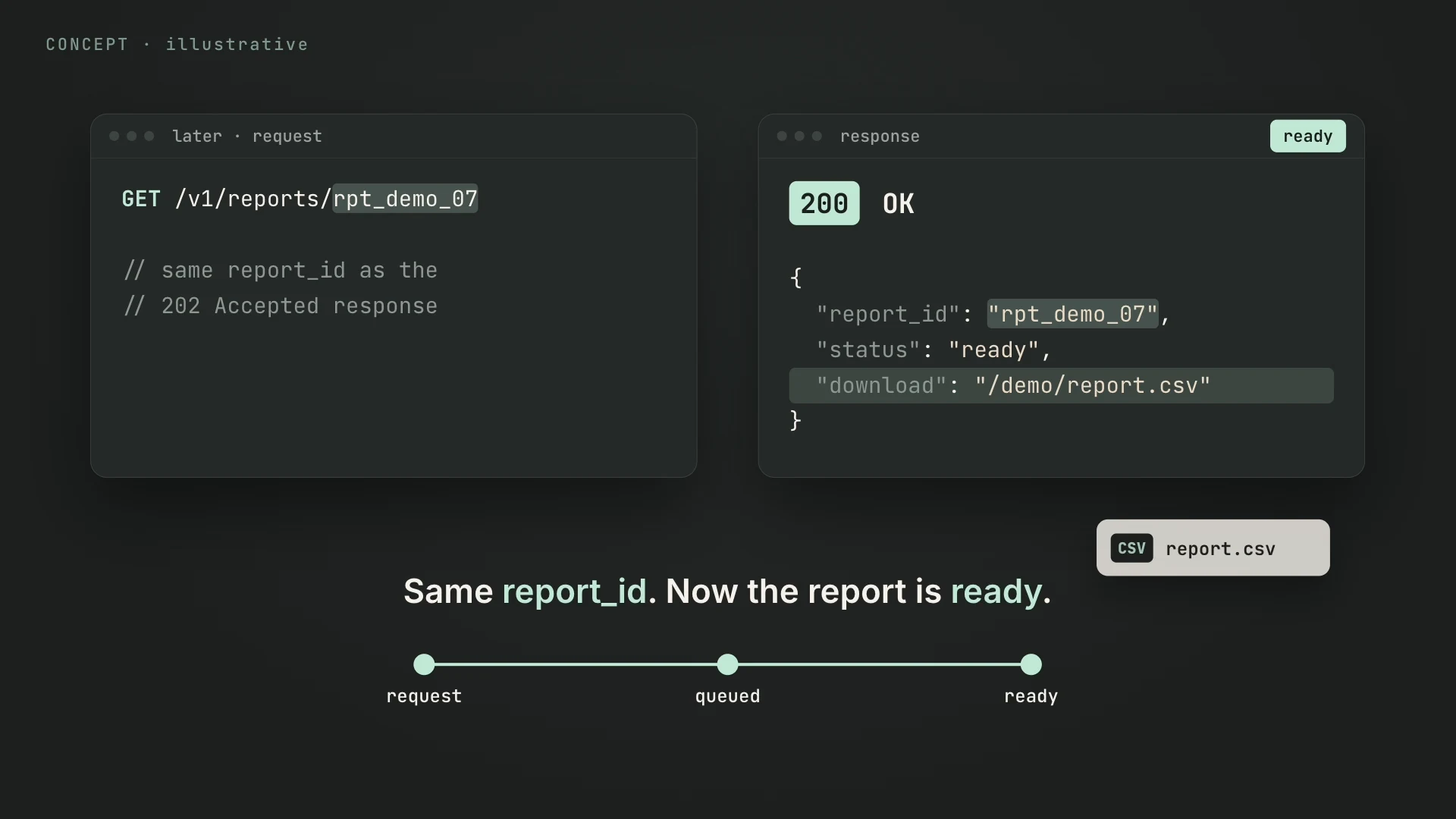
3. Same ID, now ready · 15s
Kinetic type and highlighted IDs connect the two responses without narration.
Frame from the export · Fictional product · Select image for full size
What happens in the video
Times refer to the exported film. The interface and workflow are illustrative; the edit does not measure product speed.
- 0–3s
From request to report.
Kinetic title on charcoal introduces the task.
- 3–7s
POST /v1/reports. Is the report done?
A request window types the call; an on-screen question sets up the reveal.
- 7–11.5s
202 Accepted. Accepted is not completed.
Accepted expands across the frame, then settles into a response with status queued.
- 11.5–17s
Same report_id. Now the report is ready.
The later GET returns 200 OK with the same ID and a download path.
- 17–20s
From request to report.
Closing card holds for two seconds.
Before approving this example
- Is every on-screen value (endpoint, status, ID) exactly as briefed?
- Is the type readable at phone size?
- Does the motion emphasize the one idea viewers get wrong?
- Is the fictional product clearly labelled as a concept?
To plan your own cut, bring a brief, approved brand assets, and product captures. Sign-up is open and you pay per use with credits: start with the brief above.
Motion design, from text
Maybe Labs plans the story, then designs scenes with kinetic typography, interface artwork, transitions and an original soundtrack timed to the cuts.
Revise by asking
Say what to change (a punchier ending, a different line, slower pacing) and Maybe Labs re-cuts the film. Every version stays saved.
Pay for the work done
No subscription. 1 credit is $0.10, credits are charged for the actual AI work as it runs, and they never expire.
Who it's for
For founders, product marketers and software teams who need designed motion graphics (animated type, interface scenes, logo reveals) without opening After Effects or hiring a studio. It suits short launch, feature and update films. It is not a stock-footage or talking-avatar tool.
- A launch or feature film built from animated type and product UI
- Motion graphics for a landing page, Product Hunt gallery or social post
- A branded animation when you have no motion designer on the team
- Square and vertical cuts of the same film for each channel
What an AI motion graphics generator should produce
Motion graphics are designed animation: type, shapes, icons and interface scenes moving with intent. A useful generator gives you a finished, timed film you can review, not a pile of clips to edit. Maybe Labs produces a complete short film with story, visuals, motion and music in one pass, then lets you refine it in conversation.
How it differs from text-to-video and template tools
Text-to-video models generate camera footage, which is hard to keep on-brand and rarely shows readable UI. Template editors give you control but you still do the animating. Maybe Labs sits between them: you describe the outcome, and the agent designs the motion graphics around your product facts, brand colors and captures.
What it costs to make one film
Credits are $0.10 each, sold in one-time packs of 100 ($10) or 200 ($20). Starting a new film needs at least 25 credits ($2.50) in your balance; you are charged only for the work the agent actually runs (writing, reviewing rendered frames, generating images), and the rest stays in your balance.
Check the film before you publish it
Watch the export with sound on and off, read every on-screen line, and confirm each claim matches the product. Generated interface artwork illustrates an idea; when fidelity to your real UI matters, attach your own screenshots in the chat.
Write a brief that animates well
- ✓Name the product, the audience and one thing it does
- ✓Give the facts the film must keep exactly
- ✓Describe the look: palette, type, energy
- ✓Say how it should end: a line, a URL, a call to action
Prompts to try
Questions
What is an AI motion graphics generator?
A tool that turns a text description into designed animation (moving type, shapes, icons and interface scenes) with timing and music, instead of generating camera footage. Maybe Labs does this for software launch and update videos.
Can AI make motion graphics from a text prompt?
Yes. In Maybe Labs you describe the video in the chat; it writes the story, designs and animates the scenes, scores the film and shows you the result to refine.
Is there a free AI motion graphics generator?
Maybe Labs has no free tier. It is pay as you go: credit packs start at $10 for 100 credits, there is no subscription, and credits never expire.
Is this an After Effects replacement?
For short launch, feature and update films, it replaces the After Effects step for teams without a motion designer. For frame-by-frame control, character animation or long-form compositing, a professional tool like After Effects is still the right choice.
Can I edit the result?
Yes, by asking in chat: change a line, the pacing, the ending, the colors or a scene. Maybe Labs re-cuts the film and keeps each version.
Which formats can I export?
16:9, 1:1 and 9:16, so the same film works on a landing page, in a feed and as a vertical clip.
Will it use my brand?
Add your logo, colors and type to the brand kit, or describe them in the brief, and Maybe Labs designs within them. Attach real product screenshots when the film should show your actual interface.