
AI motion graphics
Release notes to video
Turn release notes into a short product update video with Maybe Labs. Paste the notes or a changelog entry into the chat, say which change matters and who it is for, and Maybe Labs writes the story, designs the scenes and scores the film. Refine it in chat, then export for your changelog, email and social posts. Sign-up is open, and you pay per use with credits.
Open sign-up · Pay as you go · Credits from $10 · No subscription
See a worked example with screenshots and a scriptWorked example
A real release note and the 20-second film made for it
Example Board is a fictional project app. Its release note announces saved personal views. The film below was generated and exported in Maybe Labs from a text brief covering the same change, with no screenshots attached: the agent designed the interface and motion.
Visuals made in Maybe Labs. The soundtrack was replaced after export with an instrumental generated with ElevenLabs; every frame and its timing are unchanged. Example Board is fictional, and its interface was designed by Maybe Labs, not captured from working software.
The release note
Saved personal views are now available in Example Board. Save a combination of status and owner filters, name the view, and reopen it from Personal views. Views are private to their creator; shared team views are not included in this release.
A prompt to adapt
Create the finished 20-second 16:9 launch film now, with original synchronized music and sound design. Title: Example Board — A view worth keeping. Audience: project leads. Supported workflow only: All work contains launch tasks; set Status: In progress and Owner: Maya, save a PERSONAL view called Launch review, then reopen that view showing tasks EB-104 and EB-112. Keep Only you visible; do not imply sharing, speed, time savings or real customers. Main message must work without sound. No voiceover. Finish with a clean 2-second hold.
Frames from the exported video
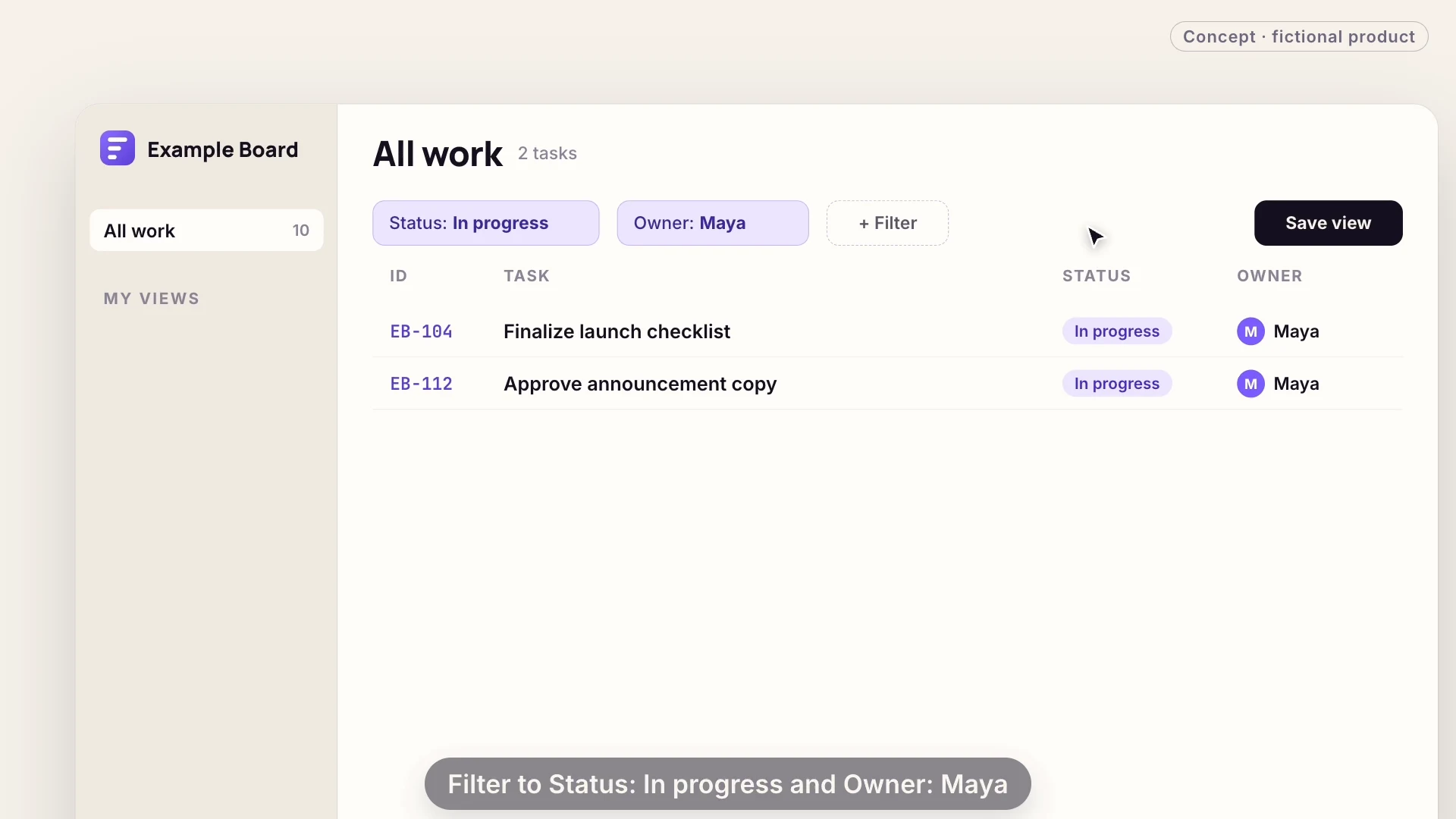
1. Apply the two filters · 10s
The filters from the release note, applied on screen, with the caption readable on mute.
Frame from the export · Fictional product · Select image for full size
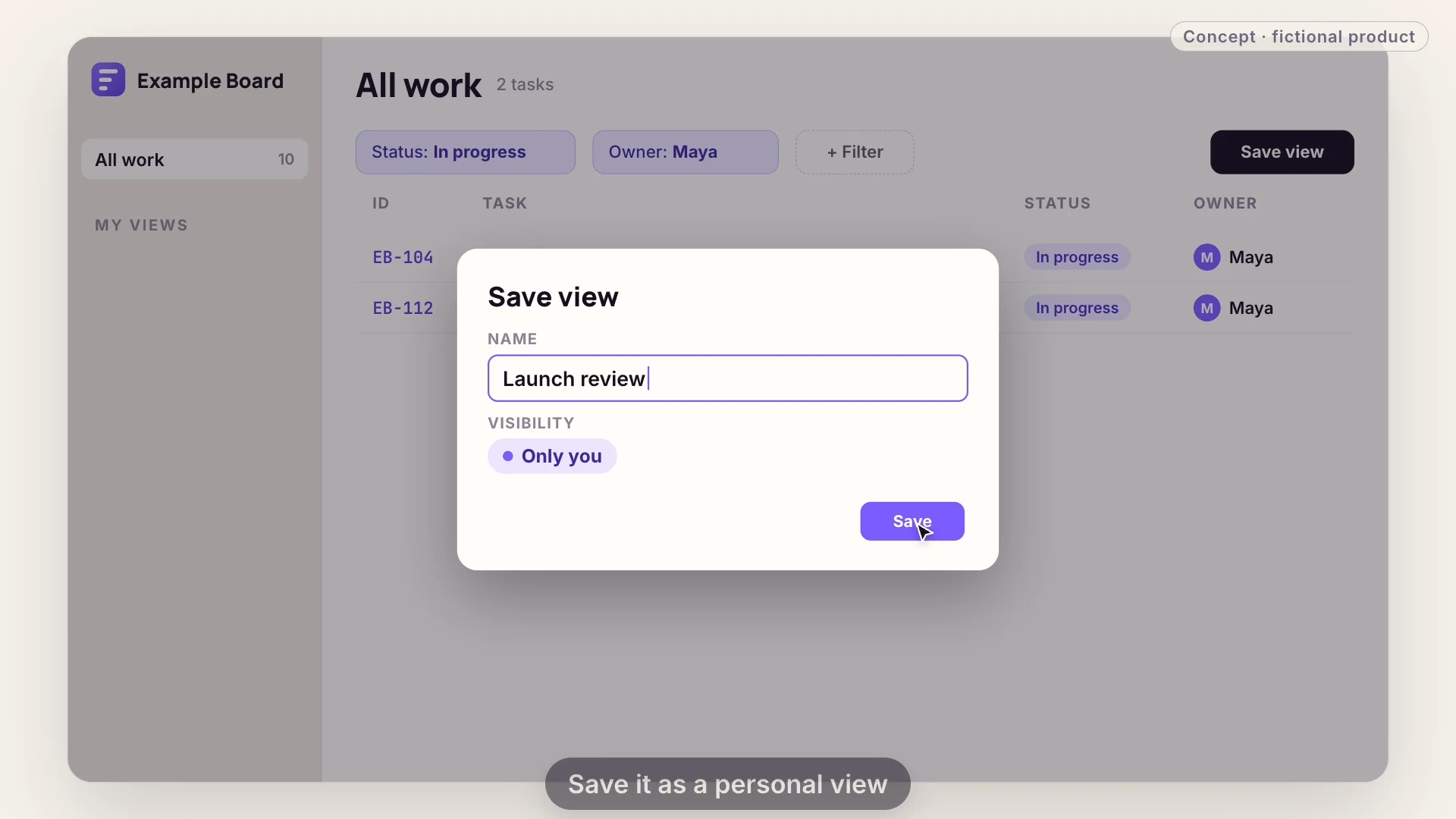
2. Save it as a personal view · 13s
Only you stays visible, so the film keeps the release note's limit: views are personal, not shared.
Frame from the export · Fictional product · Select image for full size
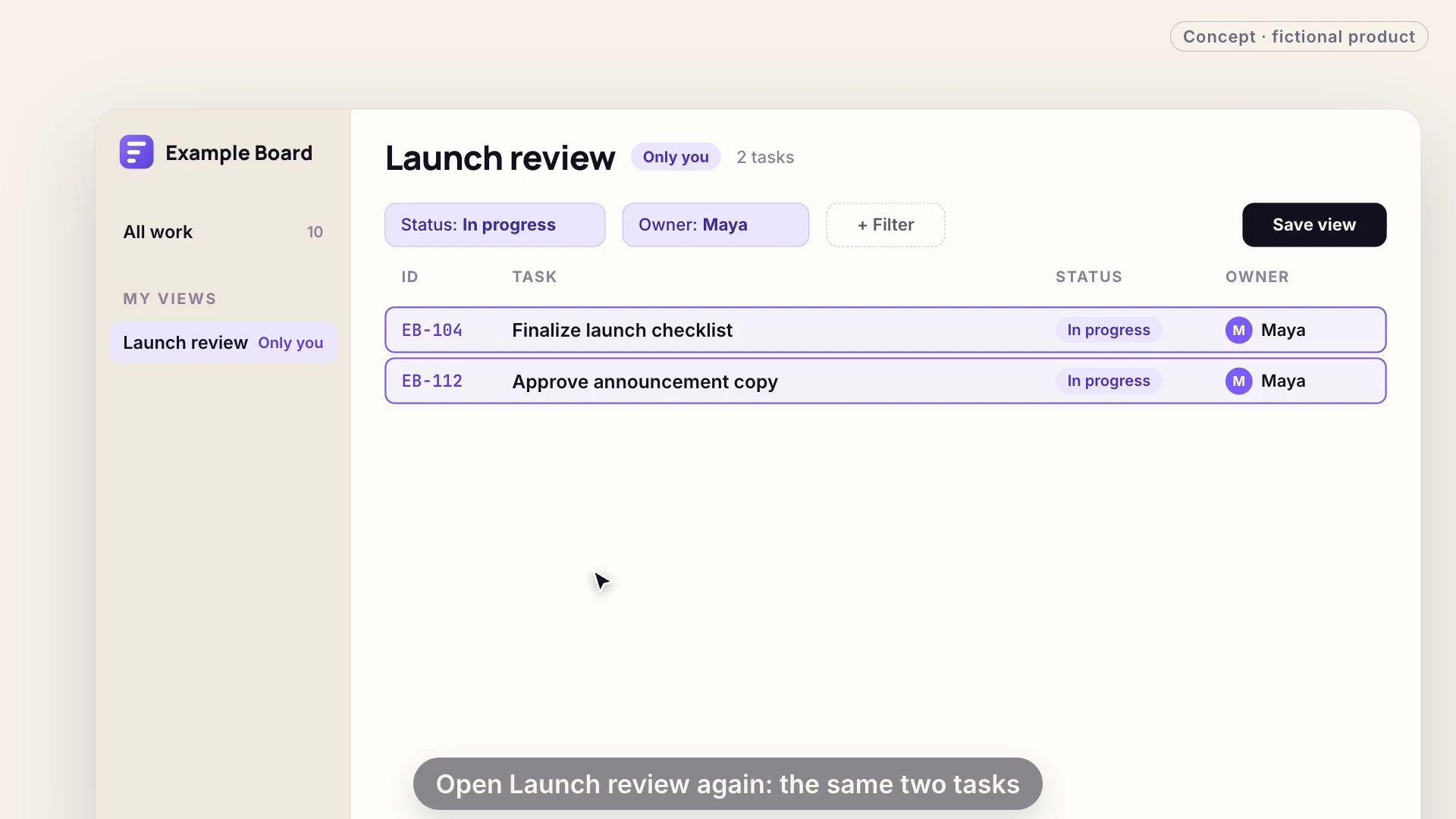
3. Reopen the same view · 16s
The same two task IDs come back, which proves the view was saved.
Frame from the export · Fictional product · Select image for full size
What happens in the video
Times refer to the exported film. The interface and workflow are illustrative; the edit does not measure product speed.
- 0–5s
Every task. Every owner. All at once.
Open on the busy All work list: the problem the release solves.
- 5–8.5s
One clear view.
Name the change in three words before showing how it works.
- 8.5–12s
Filter to Status: In progress and Owner: Maya.
Apply the two filters from the release note, leaving tasks EB-104 and EB-112.
- 12–14.5s
Save it as a personal view.
The save dialog names Launch review and keeps Only you visible, matching the note's limit.
- 14.5–18s
Open Launch review again: the same two tasks.
Reopen the view with the same filters and the same task IDs.
- 18–20s
A view worth keeping.
Hold the closing card for two seconds.
Before approving this example
- Does the film keep the release note's limit (personal views, not shared)?
- Do the filter labels and task IDs match the note exactly?
- Does the story read with the sound off?
- Is the full release note linked next to the video?
To plan your own cut, bring a brief, approved brand assets, and product captures. Sign-up is open and you pay per use with credits: start with the brief above.
Release notes in, film out
Paste the notes as written. Maybe Labs picks out the change you name, keeps the facts you mark as exact, and builds a story around what users can now do.
Every release, same brand
Reuse your brand kit so each update looks like part of one series, then change only the story and captures.
Priced per video
Pay-as-you-go credits from $10, no subscription, so a quiet month costs nothing.
Who it's for
For product marketers, founders and developer-relations teams who publish release notes and want a visual version people will actually watch. Best when one change in the release deserves attention; the written notes stay the complete record.
- A clip at the top of a changelog or release page
- A feature spotlight for the update email
- A monthly or quarterly roundup of the biggest changes
- Social posts in square and vertical formats
Pick one change from the notes
Release notes list everything; a video should show one thing well. Choose the change your users will notice, write it as an outcome (what they can do now), and note any limits such as plan, rollout or platform that the film must keep.
Paste the notes and say what to keep exact
Paste the release notes into the Maybe Labs chat and add a line like: feature this change, keep these labels exactly, end on this next step. Attach screenshots of the new flow when the video should show your real interface.
Review the film against the notes
Watch the film muted and check it against the written notes: the same feature name, the same limits, nothing promised that the release does not include. Ask for changes in chat until it matches.
Publish it next to the full notes
Put the video at the top of the changelog entry or update email and keep the complete notes below it. Export 16:9 for the page, and 1:1 or 9:16 for social posts.
Before you publish the update video
- ✓The feature name matches the release notes
- ✓Rollout and plan limits are visible
- ✓It makes sense with the sound off
- ✓The full notes are one click away
Prompts to try
Questions
What's the best AI tool for turning release notes into a product update video?
For a designed motion-graphics update made from release notes, Maybe Labs and Clueso are the closest fits. Use Screen Studio or Descript when the update is better shown as a screen recording. Maybe Labs takes the notes as written in its chat, builds the story and scenes, and lets you revise by asking.
Can I paste a changelog directly?
Yes. Paste the notes or changelog entry as written and say which change to feature. You don't need to rewrite them into a script first.
Can it make a video automatically every time we ship?
Not today. Maybe Labs has no API or automatic trigger: you paste the notes and review the film before publishing. Teams that need a CI-triggered pipeline use an API-first tool or a code renderer such as Remotion.
How long should a release notes video be?
One feature: 15 to 30 seconds. A monthly roundup: 60 to 90 seconds, with one scene per change. The example on this page is 20 seconds.
Does it show my real product?
Attach screenshots of the new flow in the chat and the film is built around them. Without screenshots, Maybe Labs designs illustrative interface artwork, which you should label as a concept.
What does it cost?
Credits are $0.10 each, from $10 for 100. Starting a new film needs at least 25 credits ($2.50) in your balance, and you are charged only for the work the agent actually runs.